Under the Hood: Why GableSync Switched to Nvidia T4 GPUs for AI Renders
A technical deep dive into the trade-offs between CPU and GPU inference for ControlNet, and how we optimized GableSync for speed and architectural accuracy.
Moving Beyond the "Starting" Screen
When we first launched the GableSync beta, we hit a wall—literally. Our AI predictions were getting stuck in "starting" for minutes at a time. As a Product Manager, I had to make a choice: do we stick with low-cost CPU instances and ask for patience, or do we move to specialized hardware?
The answer was in the math.
CPU vs. GPU: The Parallel Processing Gap
Neural networks, particularly ControlNet-Hough (which we use for wall detection), perform millions of simultaneous tensor operations.
- The CPU approach: Processes these operations in a linear fashion. It’s like a single technician trying to wire an entire EV truck alone.
- The Nvidia T4 approach: Uses 2,560 CUDA cores to process these operations in parallel. It’s a full specialized crew working on the truck at once.
The Benchmarks
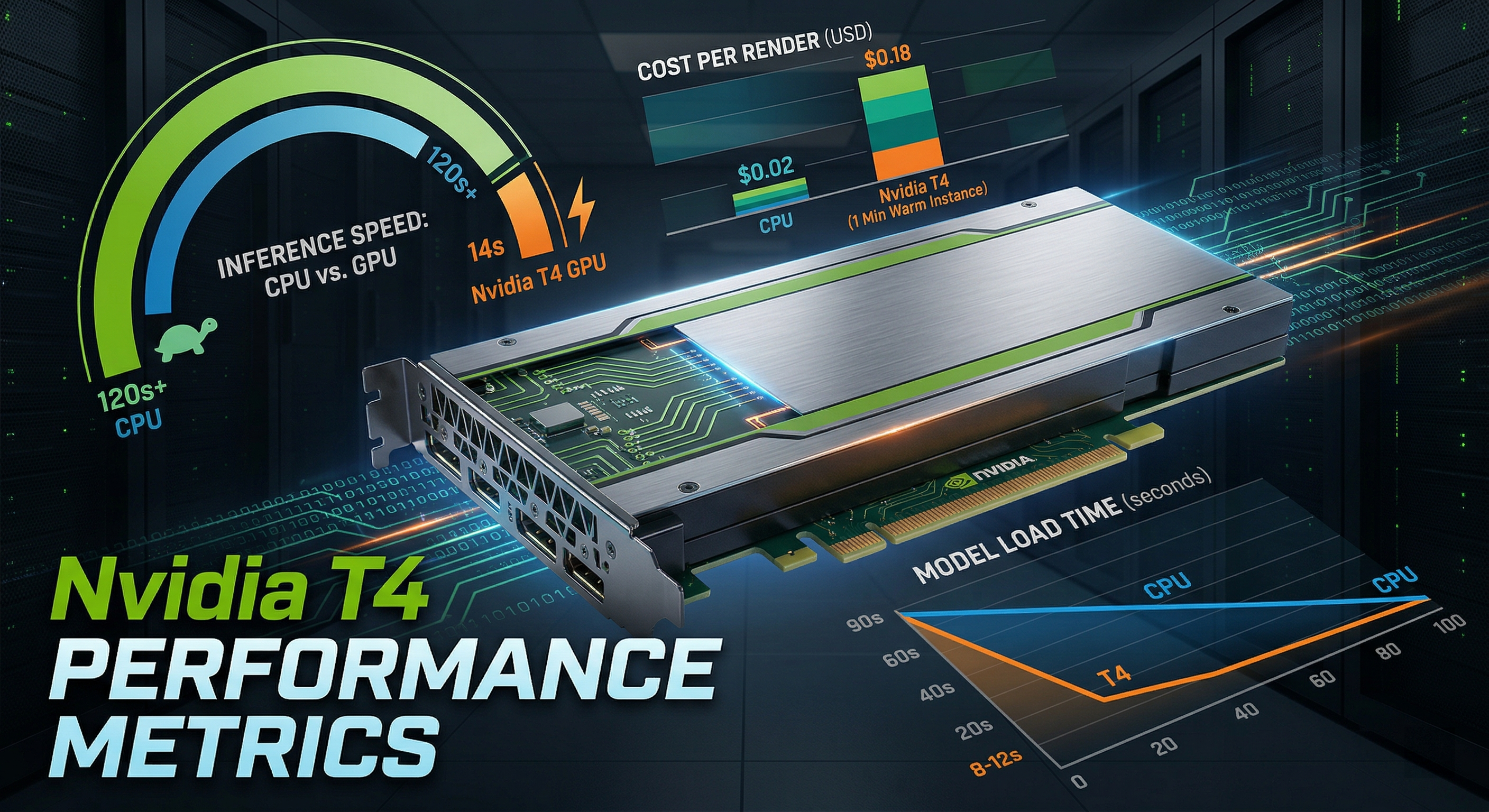
| Metric | CPU Instance | Nvidia T4 GPU | | :--- | :--- | :--- | | Model Load Time | 45-90s | 8-12s | | Inference Time | 120s+ | 14s | | Cost per Render | $0.02 | $0.18 |
The "1 Min Instance" Strategy
To ensure our users never wait for a "cold start," we implemented a 1 Min Instance auto-scaling policy. This keeps a T4 GPU "warm" and ready. While this increases our baseline cost, the user experience improvement—dropping from a 3-minute wait to a 20-second render—is what defines the GableSync "magic."
ControlNet Weight Tuning
We didn't just stop at hardware. We refined our replicate-render-config.ts to use dynamic weights. We found that for Industrial styles, a higher controlnet_conditioning_scale (0.85) was required to maintain the structural integrity of brick textures against the original floor plan.
The PM Takeaway
Technical debt isn't just about messy code; it's about making hardware choices that align with user expectations. By pivoting to the T4, we moved GableSync from a "hobby tool" to a professional-grade "Command Center" for contractors.